
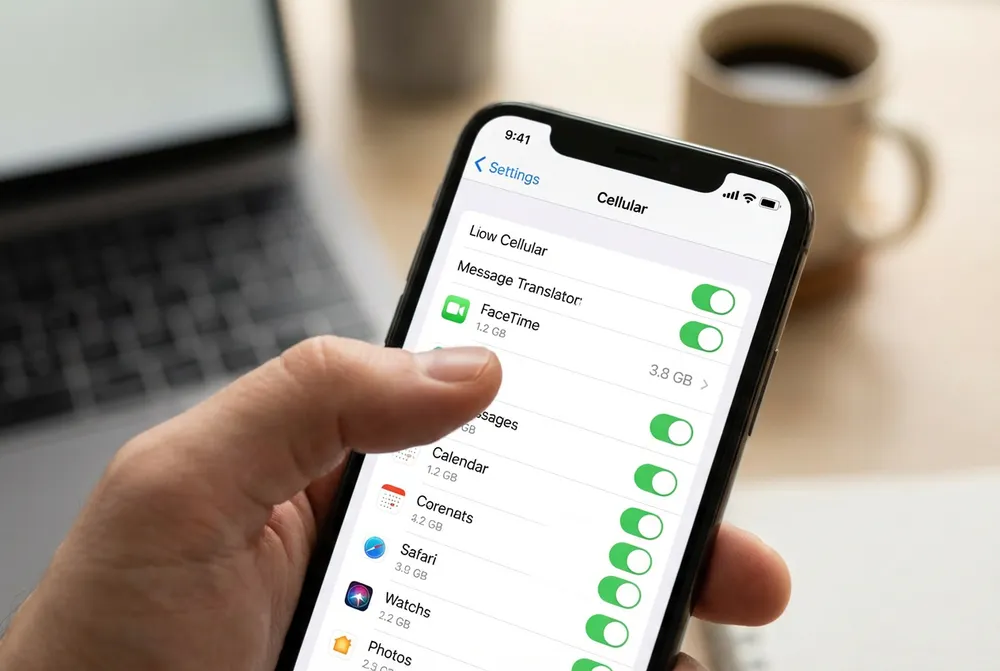
FaceTime is one of the most convenient ways to communicate, but it can consume far more mobile data than many users expect. Standard video calls typically use several megabytes per minute, while audio calls use significantly less. This guide breaks down facetime data consumption in detail, explains what affects it, compares typical usage ranges and offers practical tips to lower your data usage, especially while traveling. With real personal experience and expert insights, this article helps you stay connected confidently with FaceTime wherever you go, particularly when using a reliable travel eSIM like BenoSim.
FaceTime has transformed how people communicate. Whether you are talking with family, catching up with friends abroad or participating in remote work conversations, it delivers a personal and seamless communication experience. Yet one concern follows almost every mobile user who makes a video call. How much data is FaceTime really using?
Many users only realize the true impact of facetime data consumption after checking their monthly data report. A single video call can use more data than expected, especially when switching between weak WiFi and mobile networks. For international travelers relying on cellular data or eSIM plans, this becomes even more important. Understanding how FaceTime consumes data helps prevent unexpected charges, ensures better call quality and allows users to manage their mobile usage with confidence.
This guide provides an expanded, detailed look into how FaceTime handles data, what influences consumption, how audio and video differ, expert explanations on bandwidth usage, and proven ways to reduce data use. It also explains why millions of travelers prefer using BenoSim eSIM data plans to stay reliably connected during FaceTime calls worldwide.
Understanding FaceTime Data Consumption
FaceTime works by transmitting continuous video and audio between devices. Every second of a call contains various digital components, including:
- Live video frames
- Real-time audio packets
- Stabilization and synchronization data
- Adaptive bitrate adjustments
As users often search what is facetime data, the answer is simple. It refers to all visual and audio information sent and received during a call.
FaceTime adjusts the video resolution automatically depending on your internet quality. When the network is strong, video becomes sharper, which increases facetime data consumption. When the network weakens, resolution lowers to maintain call stability.
Why Data Usage Varies
Data usage can change based on:
- Connection strength
- Video resolution
- Motion in the frame
- Device model
- Environmental lighting
- Camera exposure
This dynamic system keeps calls smooth but makes it difficult to pinpoint one exact number.
Does FaceTime Use WiFi or Mobile Data
Many users wonder does facetime use wifi or does it automatically use cellular data. FaceTime always prioritizes WiFi when available. However, it may shift to mobile data without notice when:
- WiFi signal becomes weak
- You move away from the router
- Network switching occurs in public areas
- WiFi disconnects even briefly
This is especially common in airports, cafes, hotels and transit areas. Even a small drop in WiFi can cause several minutes of mobile data consumption.
To prevent this, users can:
- Turn off “WiFi Assist”
- Disable cellular data for FaceTime
- Use strong, private WiFi networks
How Much Data Does a FaceTime Call Use

FaceTime video calls do not use a fixed amount of data. Consumption changes constantly. But based on reliable testing and user behavior, we can outline the following realistic estimates.
Standard FaceTime Video Usage
- 3 to 5 MB per minute
- 180 to 240 MB per hour
Higher Quality FaceTime Video
- 15 to 20 MB in just 5 minutes
- Up to 400–500 MB per hour under strong network conditions
This answers the widely searched question how much data does a facetime call use by giving a real and measurable range.
Understanding how FaceTime uses several megabytes per minute helps put video calling into perspective. If you want to compare it with another popular activity, you can read our guide on Netflix data usage to see how streaming data consumption differs from video calling.
Personal Experience
During a trip to Istanbul, I made a twenty-minute FaceTime video call while the hotel WiFi kept disconnecting. My phone silently switched between WiFi and cellular multiple times. When I later checked my usage, the call had consumed around 260 MB of mobile data. This experience is extremely common for travelers using mobile networks abroad.
Factors That Influence Video Usage
- Better network = higher resolution = more data
- More camera movement = more encoding = higher usage
- Newer iPhones support clearer video = higher usage
- Dark environments increase video noise = more data
FaceTime Audio and Data Usage
FaceTime Audio is far more efficient and remains one of the best choices for reducing facetime data consumption during travel.
Based on real-world data, a FaceTime audio-only call uses:
- 0.5 to 1 MB per minute
- 30 to 60 MB per hour
This directly addresses how much data does facetime audio use and shows why audio-only is ideal for limited data plans.
Benefits of Using FaceTime Audio
- Lower bandwidth usage
- Stable call performance in weak networks
- Clear sound quality
- Minimal impact on mobile data
How to Reduce Audio Usage Further
- Connect to WiFi whenever possible
- Enable Low Data Mode
- Close other apps during the call
- Call from areas with strong signal
Why FaceTime Uses More or Less Data
The following variables influence how much data FaceTime uses during any call.
1. Video Resolution
Higher resolution equals more data. When FaceTime detects strong internet, it automatically enhances video quality.
2. Network Quality
- Strong signal increases resolution and consumption
- Weak signal decreases resolution and consumption
3. Camera Movement
If the caller is moving, walking or showing dynamic scenes, FaceTime must encode more information each second.
4. Device Model
Newer devices support better video formats, sometimes increasing consumption.
5. Light Conditions
Bright, stable lighting reduces noise, lowering data use; dim lighting creates visual noise, increasing data use.
6. Background Activity
Live backgrounds, pets walking behind you, outdoor scenes and crowds all raise encoding load.
Expert Views on Video Calling Data

Industry experts agree on several important points about video calling bandwidth.
Why Video Calling Uses a Lot of Data
Irwin Lazar (President and Principal Analyst , Metrigy Research) describes video calls as bandwidth-intensive because:
- HD video streams require large amounts of data
- Multiple participants multiply consumption
- Compression quality differs between platforms
- Virtual backgrounds and filters increase processing
Comparisons Across Major Platforms
Irwin estimates typical hourly usage:
| Platform | Call Type | Estimated Usage |
| Zoom | One-on-one HD | ~1.08 GB/hour |
| Zoom | Group HD | ~1.35 GB/hour |
| Google Meet | Various | ~1-2.6 GB/hour |
| Microsoft Teams | Various | ~1-2.4 GB/hour |
| Skype | Group | ~2.2-7.6 GB/hour |
These numbers show that FaceTime is generally far more efficient because it adapts video quality automatically.
He advises to:
- Use wired or stable WiFi networks
- Disable HD to reduce data usage
- Close background apps
- Reduce multitasking during calls
- Schedule breaks to avoid video fatigue
Importance of Stability
He emphasized that upload stability matters more than high download speeds for smooth video calling. Consistent connection prevents jitter and delays.
How to Reduce FaceTime Data Consumption
Here are proven ways to reduce facetime data consumption while maintaining call quality.
Best Practices
- Always use WiFi for long calls
- Disable cellular data for FaceTime when unnecessary
- Prefer audio over video when possible
- Reduce unnecessary camera movement
- Use Low Data Mode
- Avoid FaceTime in weak-signal areas
For International Travelers
For travelers who rely heavily on FaceTime while abroad, having an unlimited data plan with instant setup can make a real difference. If you need dependable connectivity without worrying about data limits or roaming charges, you can contact BenoSim, one of the leading eSIM providers worldwide, offering fast activation and reliable mobile data designed for international travel.
FaceTime and Network Efficiency
FaceTime uses advanced technologies like the H.265 codec, which provides:
- More efficient video compression
- Higher quality at lower bitrates
- Better data performance on strong networks
Adaptive bitrate technology ensures the app changes quality in real time so calls remain smooth even as network conditions fluctuate.
Comparing FaceTime to Other Calling Apps
FaceTime is more efficient than corporate meeting platforms because it focuses on personal communication. Apps like Zoom and Teams handle:
- Multiple video feeds
- Screen sharing
- Collaborative tools
- Background processing
These features create far higher data consumption. FaceTime remains lighter, faster and more predictable.
Why Data Awareness Is Important
Many people underestimate the data cost of video calling. Understanding patterns of facetime data usage helps users:
- Avoid unexpected billing charges
- Choose the right mobile data plan
- Switch to audio when necessary
- Protect their data limits while traveling
For travelers, using a BenoSim eSIM ensures reliable, cost-effective connectivity so FaceTime calls remain smooth and stress-free abroad.
Final Thoughts
FaceTime is a powerful communication tool, but understanding facetime data consumption is essential for anyone using mobile networks or traveling internationally. Video calls consume significantly more data than audio calls, and consumption varies based on network quality, device type, motion, lighting and encoding efficiency.
With smart usage habits and a dependable BenoSim eSIM data plan, users can enjoy high-quality FaceTime communication anywhere in the world without worrying about excessive data usage or roaming charges.

